
WinzeWinze

Product · Management

Where the money went, and whether anyone knows why.

Winze turns the hours your plant ran without producing into dollars and splits them into explained and unexplained. Known causes are taken out first, so what reaches you is the loss nobody has explained yet, with its evidence one click away.

Built for

  • Chief Executive Officer
  • Chief Operating Officer
  • Site General Manager

Conversations with Chief Executive Officer and Site General Manager

Chief Executive Officer

Asks from Teams, between board and investor calls · Copilot in Teams, connected through MCP

Illustrative

Where did we lose the most money last month, and do we know why?

$740K

unexplained, of $1.2M lost last month

$1.2M lost last month; $740K of it unexplained.

  • $460K explained, $740K unexplained.
  • 62% of the unexplained loss: SAG mill below rate, night shift.

Is it getting better or worse?

Worse: night-shift SAG loss has risen three weeks running.

  • Loss priced in dollars
  • Explained vs unexplained
  • Asked in Teams through MCP

Site General Manager

Runs the site; reports up to the COO and CEO · Winze chat

Illustrative

Draft my summary for Monday’s ops meeting.

$286K

unexplained last week, top three ranked

  1. 1. SAG mill below rate on night shift$162K
  2. 2. Primary crusher starved of feed$74K
  3. 3. Flotation cell 4 air flow low$50K

Send this to me every Monday at 6am.

Done. Scheduler will send it to you every Monday at 06:00.

  • Weekly and shift reports
  • Losses ranked by dollars
  • Scheduler on a schedule

Illustrative conversation. Figures are examples, not customer data.

What it does for Management

Loss priced and explained.

01

Loss in dollars, split into explained and unexplained

Hours running without producing, times the value of an hour of lost output, is the dollars lost, per site and per shift. Work orders, planned stops and shift logs are matched first: known causes are split out before a dollar reaches an executive, so maintenance’s own issues are never sold back to them as news.

How a lost hour becomes dollars

Hours running without producing, times the dollar value of an hour of lost output, equals the dollars lost per site and per shift. Those dollars are split into explained, where a known cause exists, and unexplained, where Winze digs.

02

Where you are against plan, and where the month lands

Ask “where are we against quota this month, and will we make it?” and Winze answers from your own readings and your own plan: the tonnes so far, the plan to date, how far ahead or behind in tonnes and percent, and a projection of where the shift, day, week or month will end. Every projection is labelled as arithmetic on the recent rate, lists the planned stops it took out, and is never a target or a setpoint.

From plan to projection
  1. 01Actual to dateThe tonnes your production point recorded
  2. 02Plan to dateYour quota or budget, spread across the period
  3. 03VarianceHow far ahead or behind, in tonnes and percent
  4. 04ProjectionWhere the period ends at the recent rate, planned stops taken out

03

Ask from Teams or Claude Desktop

Winze answers in its own chat or in any AI tool that speaks MCP. Same answers, same evidence, in any interface. Each tool gets its own key that expires, is rate-limited and can be revoked at any time. The tools ask, Winze answers, and nothing writes back to the plant.

One Winze, any interface
Winze Chat
Built in, no setup
Microsoft Copilot
In M365 and Teams, through MCP
Claude Desktop
Anthropic’s desktop app, through MCP
Any MCP tool
Cursor, GitHub Copilot and more

04

Preliminary until the site team checks it

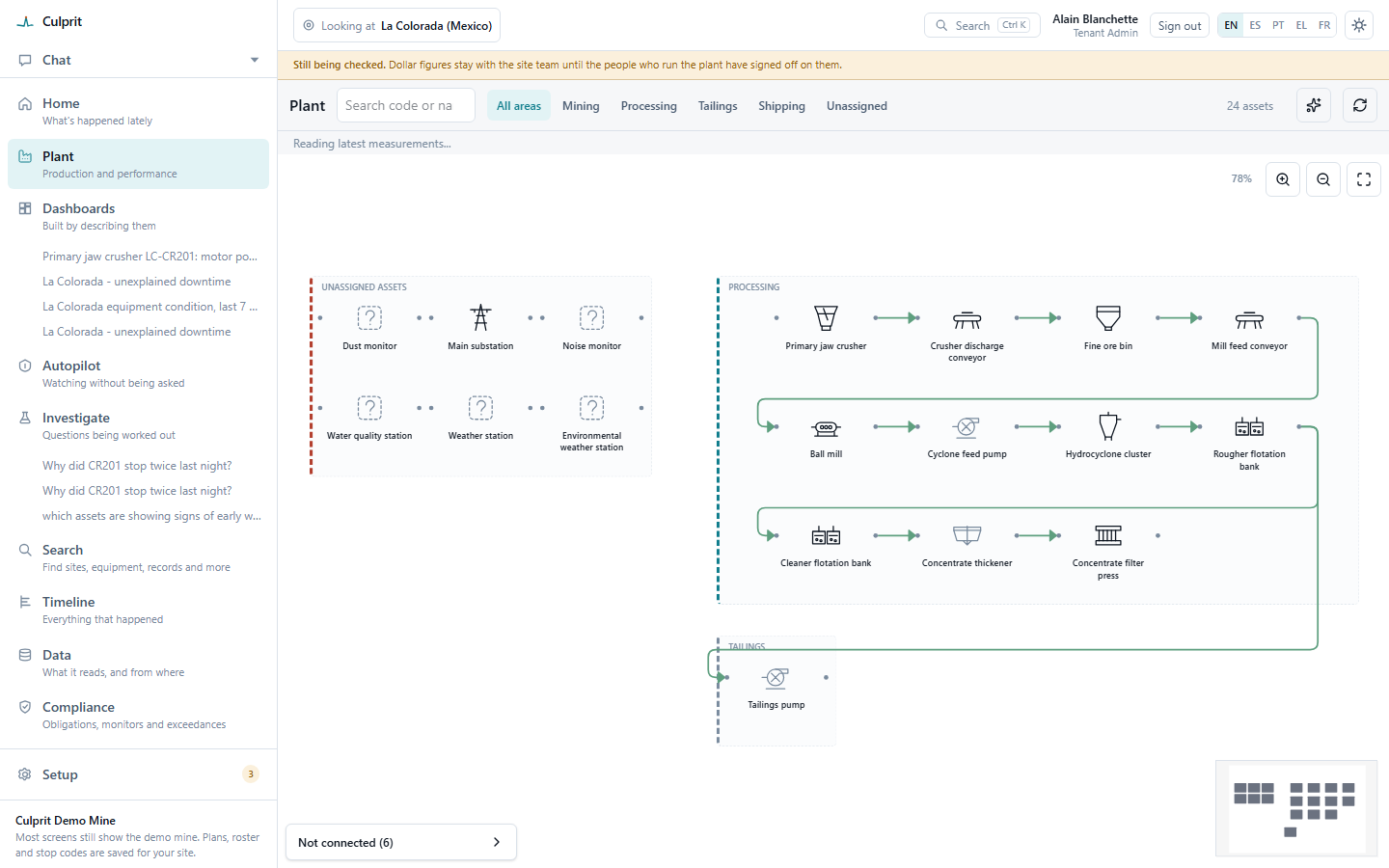
Every number carries its status: Preliminary until the people who run the plant check it, Verified once they do, with a full correction history if it ever changes. Dollar figures stay with the site team until they have signed off on them.

The plant flowsheet under a banner reading “Still being checked. Dollar figures stay with the site team until the people who run the plant have signed off on them.”
Until the site team signs off, the banner says so and the dollars wait.

What it reads

The signals and sources behind every answer.

Read-only by design: nothing writes to your control systems.

  • Run state, throughput and power

    From the OPC-UA server already on site, read-only.

  • Work orders, planned stops and shift logs

    Loaded or entered, so known causes are split out before anything is called a finding.

  • Plan and margin

    What was planned, and the margin per tonne that turns lost tonnes into dollars.

Next step: a pilot on one site.

See it on your own plant. Book a pilot and we’ll run it with you on one site: the unexplained loss on your plant, priced, with its evidence.

  1. 01

    Connect one site

    OPC-UA, read-only, one command on site

  2. 02

    Run it for 90 days

    Chat, shift reports and Scheduler tasks

  3. 03

    Review the findings together

    The unexplained loss, priced, with its evidence

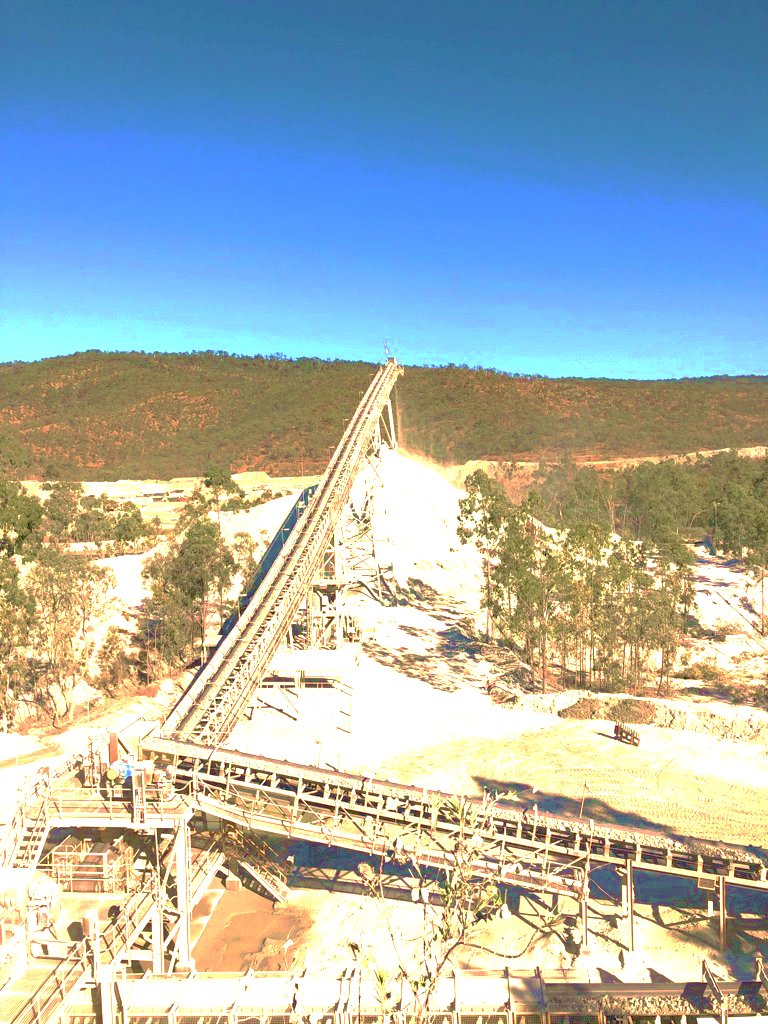
A conveyor running up from a processing plant at a mine site